Stop updating your todo list.
Tell Thespio Do about your day, in the words you'd use with a colleague. It works out what changed and updates itself — then shows you the whole week as a picture, so what matters is obvious without reading a thing.
Start 7 days free Why lists fail
On the iPhone. Card up front with Apple, nothing charged for the first 7 days, cancel any time.
Already have an account? Launch Do.
This is why lists don't work for you
It isn't that you're disorganised, and it isn't that you picked the wrong app. A list can only do one thing, and it turns out that isn't the thing you needed.
List it and forget it
Writing it down makes it invisible. The relief of capturing it is the last time you think about it — and then it sinks down a list you've stopped reading.
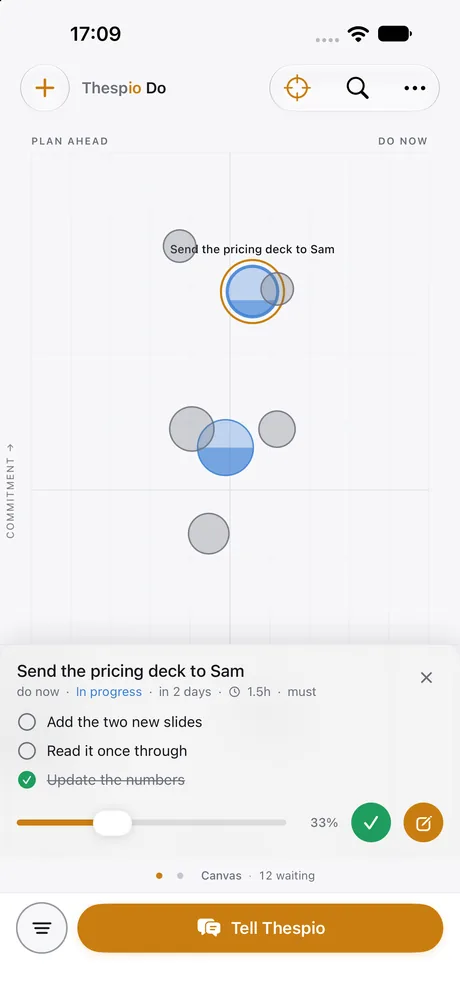
Do keeps it in front of you. Everything sits on one screen, and things visibly go stale as they age — so the task you wrote three weeks ago stops looking like the one you wrote this morning.
A list is flat
One line, one dimension: order. Not how big it is. Not how urgent. Not how much it actually matters, or how long it's been sitting there. You hold all of that in your head — until you don't.
If lists have never worked for you, this is why.
Do gives it shape. Where something sits is how urgent and how important it is. How big it is, is how big the task is. You don't work out what's next — you look.
A guide, not a guard
"Overdue" is a verdict, not a warning. A list watches the whole thing happen and says nothing until it's too late to matter. Then it turns something red, and the only thing left to decide is how to apologise.
Do speaks up while you can still act. It learns how long things actually take you — not how long you said they'd take — so it can tell you on Tuesday that Thursday isn't going to work. No streaks, no badges, no guilt.
Look, then say
The Canvas answers what should I do next. Tap a task for its steps and a progress slider. When something changes, tell Thespio — typed or spoken — and watch the task fill in. Tap the target at the top for Focus: what has stalled, what you're dreading, and a way to pair a task you're stuck on with one you love.
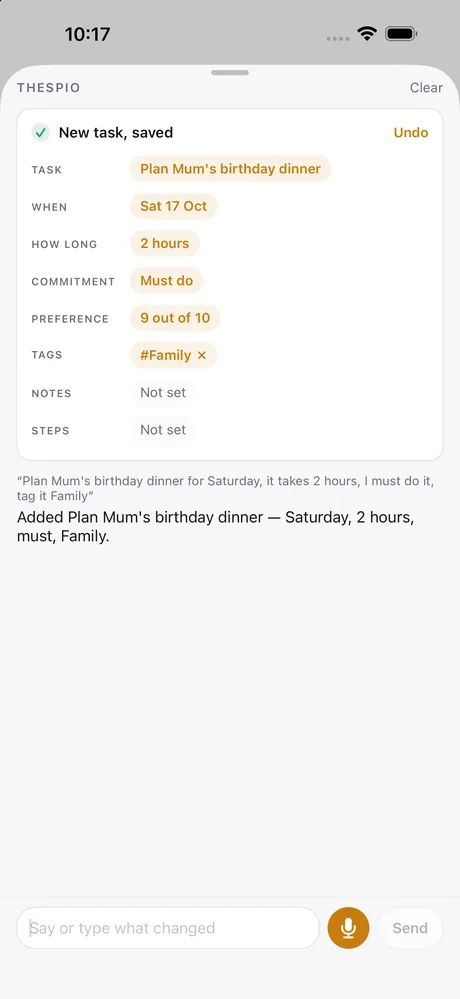
"Plan Mum's birthday dinner for Saturday, it takes 2 hours, I must do it, tag it Family"
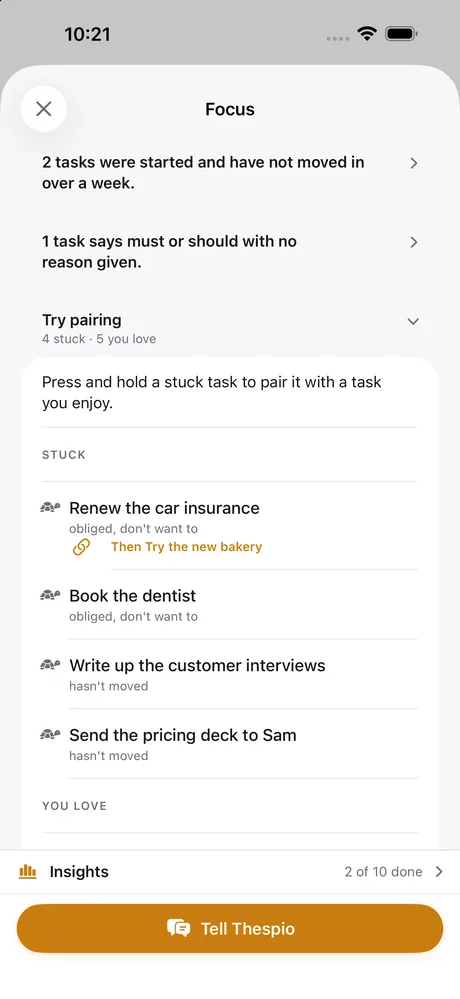
Focus: what needs you, and why.
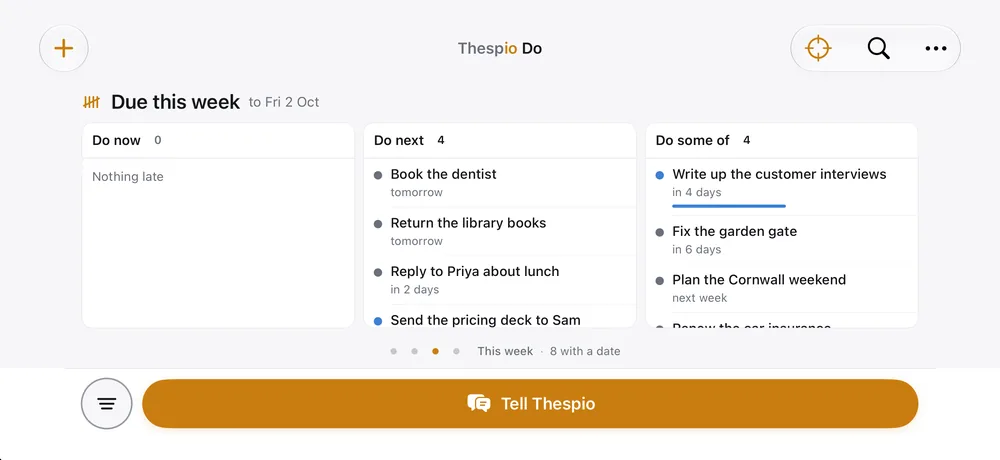
Turn the phone on its side and it plans the time ahead: the next hour, today, this week, the next four weeks. Do now for anything late, do next for what's due, do some of for what's coming, most at risk first.
Done, properly
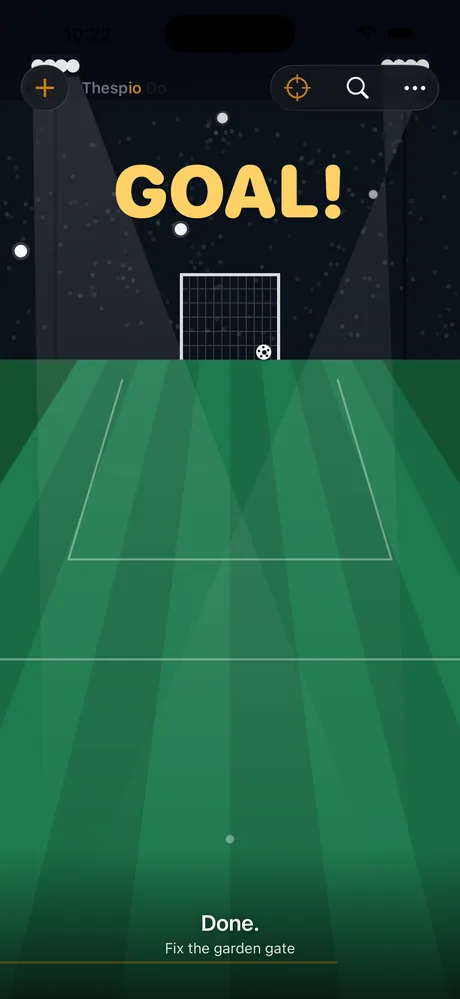
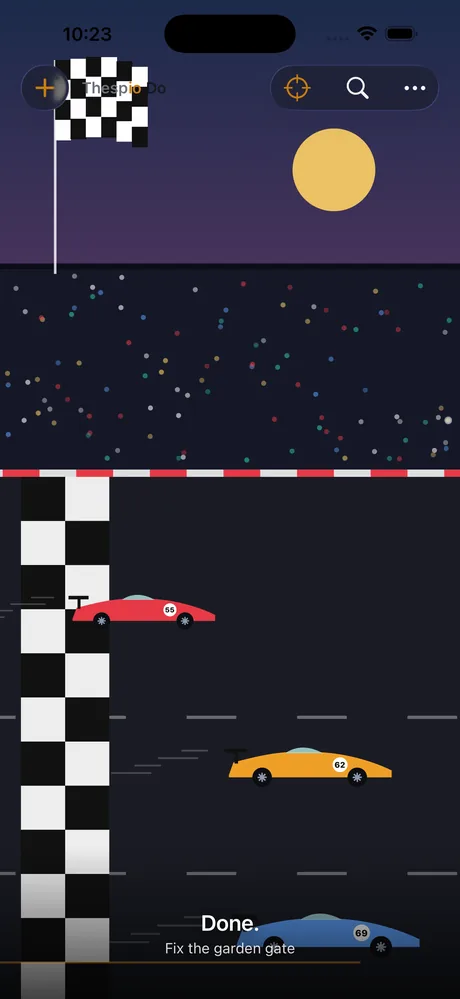
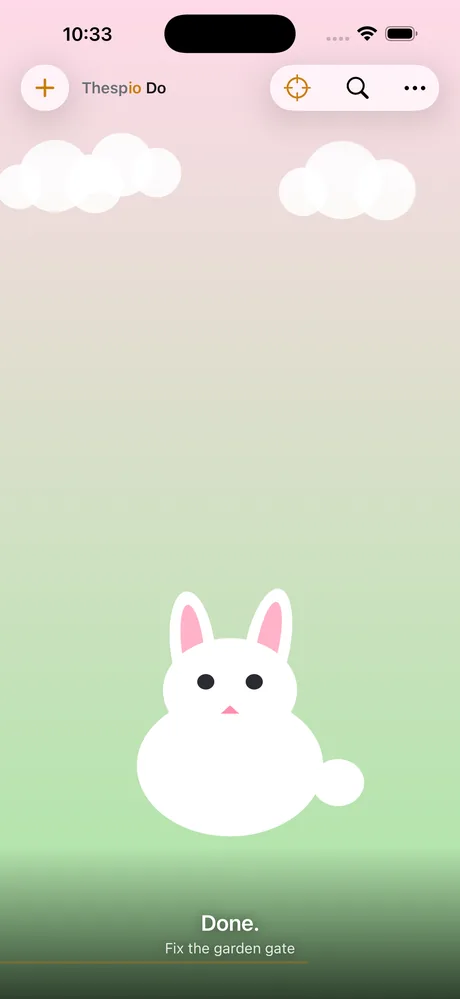
Finish something and Do marks it. A goal under the lights, a race to the line, something soft to look at, a puzzle or a short game — bigger tasks get bigger ones. You choose which, for each size of task, or turn them off.
And on your computer
The web app comes with the subscription: the same tasks, the same Canvas, in Chrome or Edge on a Mac or PC. Open do.thespio.com, type your email, and point your phone at the code it shows.
One plan, two ways to pay
Everything is included from the first minute. There's no cut-down version to be disappointed by, and nothing held back to sell you later. Both start with 7 days free.
Pay as you go. Stop whenever you like.
26% off, three months free. About £6.67 a month.
- Unlimited tasks. No caps of any kind
- Talk to it or type, as much as you like
- Time tracking, and what your week can honestly hold
- A warning while there's still time to act
- The web app, in Chrome or Edge on a Mac or PC
- The same tasks on every machine you sign in from
On the App Store, for iPhone.
Apple takes the payment and reminds you before the trial ends. Cancel in your iPhone's Settings, under Subscriptions; cancel inside the 7 days and you pay nothing. By subscribing you agree to the terms.
On your iPhone, and on your computer
One subscription covers both. The iPhone app does everything; the web app is for looking and editing at a desk, in Chrome or Edge on a Mac or PC.
| Feature | iPhone | Web |
|---|---|---|
| See it | ||
| The Canvas: every task placed by how urgent it is and how committed you are | Yes | Yes |
| Colour shows status: not started, in progress, at risk, past its date | Yes | Yes |
| The list of tasks, with search | Yes | Yes |
| Filter by status, corner, tag and finished work | Yes | Yes |
| The planner: the next hour, today, this week, the next four weeks | Turn the phone sideways | No |
| Change it | ||
| Add and edit tasks: when, how long, must or should, preference, tags, notes, links, steps | Yes | Yes |
| Photos on a task | Yes | Yes |
| Tell Thespio what changed, typed or spoken | Yes | No |
| Undo the last change Thespio made | Yes | No |
| A finished task kept as it was, with Not done to reopen it | Yes | Yes |
| Stay on top of it | ||
| Focus: what needs you, and why | Yes | Yes |
| Try pairing: a task you're stuck on, then one you love | Yes | No |
| Insights: how long things really take you | Yes | In Settings |
| Celebrations, by how big the task was | Yes | Yes |
| A morning summary, on the days you choose | Notification | No |
| Your Canvas without a signal, to read | Yes | No |
| Your account | ||
| The same tasks, on the phone and the web | Yes | Yes |
| Sign in on a laptop by scanning a code with your phone | Yes | Yes |
| Subscribe, and manage the subscription | Through Apple | Included |
| Export everything, or delete your account | Yes | Yes |
| Light and dark, and your own names for the four corners | Yes | Yes |
Coming next
Do 1.0 is the phone and the web. The next version takes Do to the places you can't hold a phone: Siri, your home screen, the car. Here is what's being built, and what's further off.
Say it to Siri
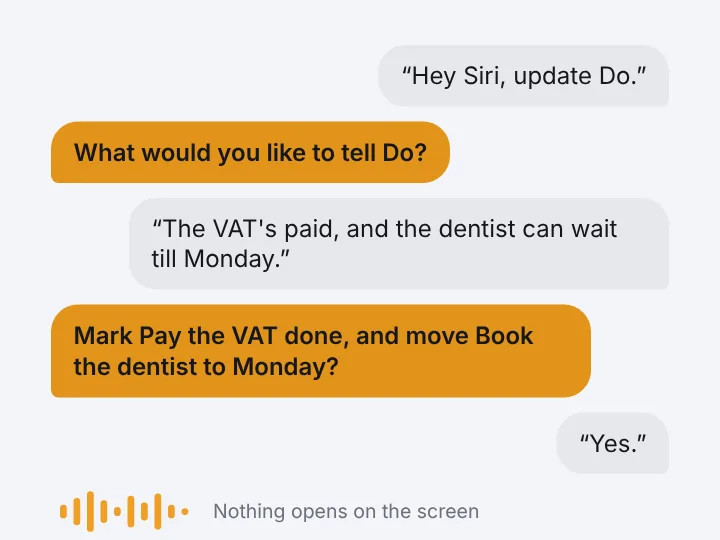
"Hey Siri, update Do." Then say what happened, the way you'd tell a person: the VAT return's done, the garage can wait till Monday. Do reads back what it would change, you say yes, and it's done.
Or ask "What needs me in Do?" and hear the answer. Nothing opens on the screen, which is the point.
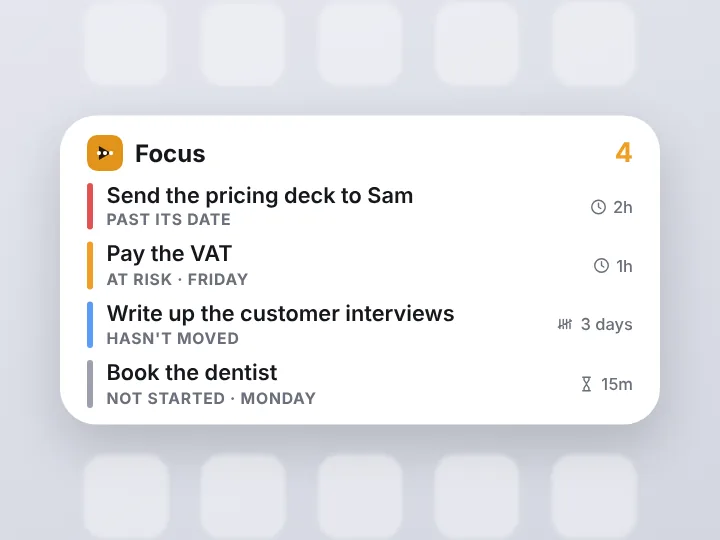
Focus on your home screen
A widget that shows what needs you and why, in the same colours as the Canvas. Tap a task and Do opens with it selected, ready to talk to. On the lock screen too.
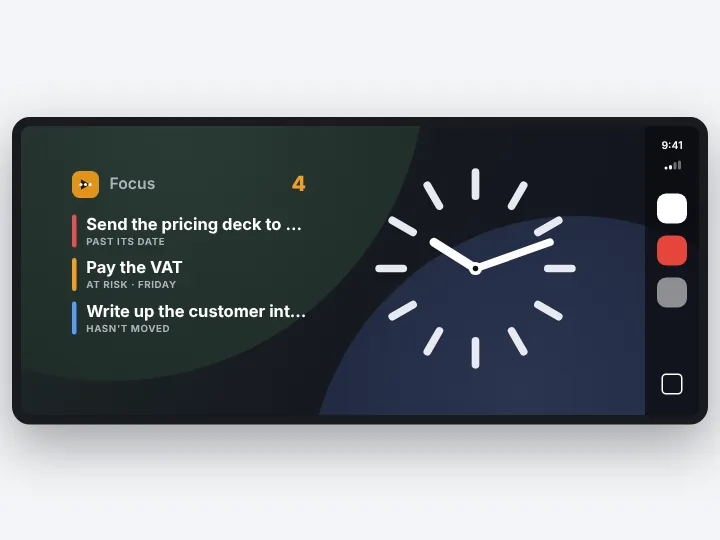
In the car
Plug in to CarPlay and Focus is on the car's widgets screen, one swipe from the map, and Siri runs through the car's own microphone and speakers. Do never asks you to look at it while you drive.
Needs iOS 26 or later for widgets in CarPlay.
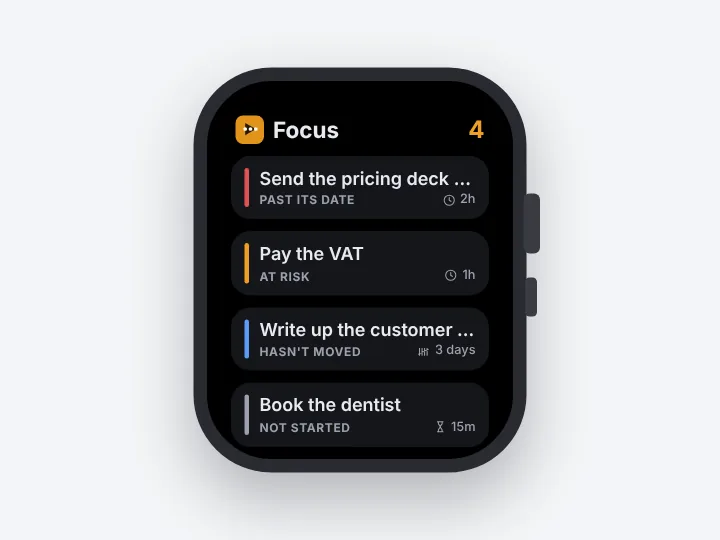
On your wrist
Focus as a short list on an Apple Watch, Done with a tap, and a complication that shows what's next. Built, and being tried; Apple Watch Series 4 and later.